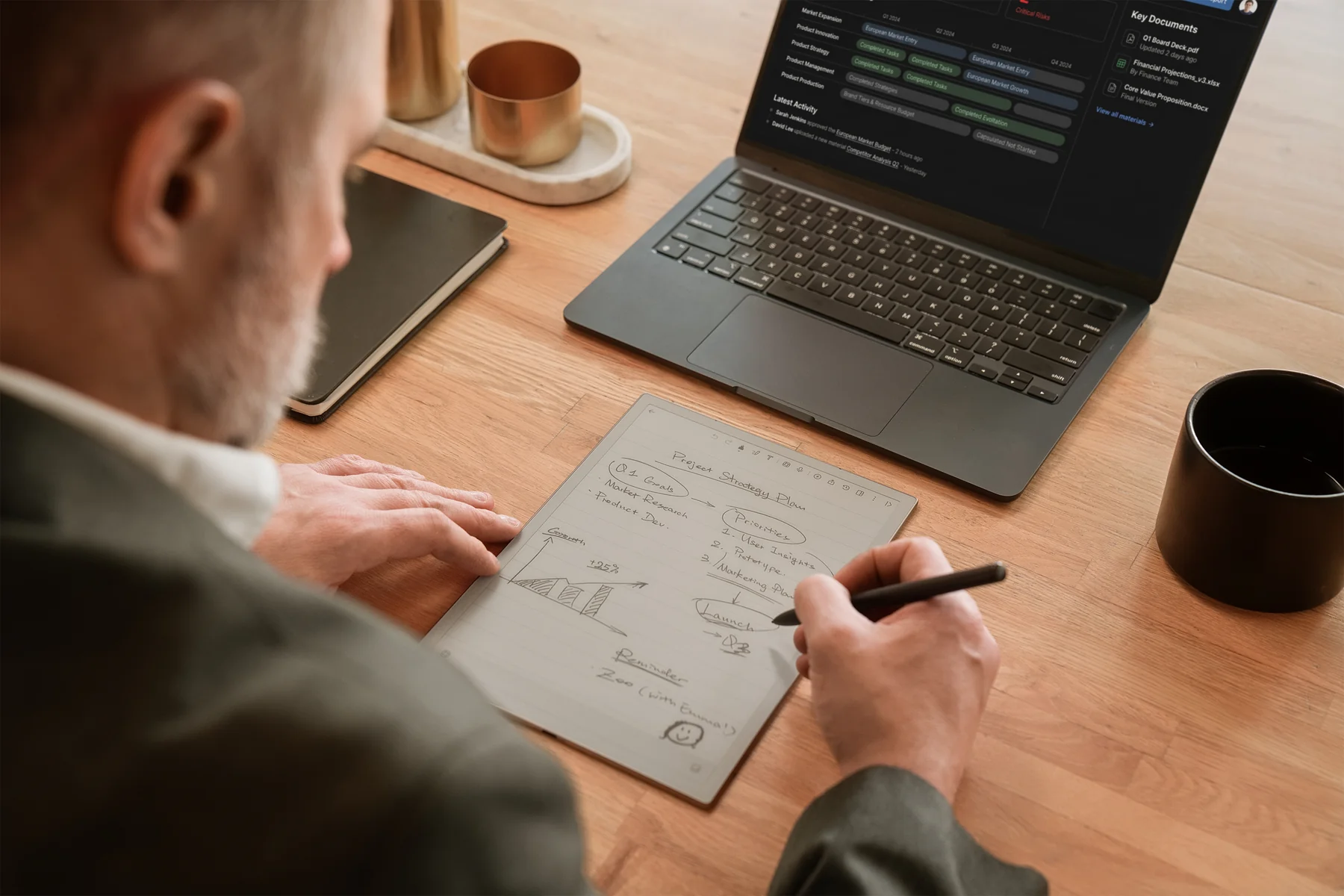
The best E Ink tablets for note taking in meetings solve different parts of the job, so there is no honest single winner. Choose the iFLYTEK AINOTE 2 if you want a meeting to become a transcript, summary, decisions, and action items. Pick the reMarkable Paper Pro if handwriting and focus matter more than apps. Go with the BOOX Note Air5 C if your workflow lives in Android software, the Supernote Manta if you build a long-term handwritten knowledge system, the Kindle Scribe Colorsoft if meetings begin with reading and annotating documents, or the AINOTE Air 2 if portability matters more than screen space.
You might be tempted to ask for one winner and move on. Honestly, that is how people end up buying an excellent device for the wrong job.
That is also why the best E Ink tablets for meetings in 2026 need to be judged by workflow, not by one number on a specification sheet.
| If your meeting job is mainly… | Our pick | Why it fits |
|---|---|---|
|
Recording, transcription, and structured follow-up
|
iFLYTEK AINOTE 2
|
A purpose-built workflow from handwriting and audio to minutes and action items
|
|
Focused handwriting and PDF markup
|
reMarkable Paper Pro
|
Large color writing surface, low-friction software, and strong document annotation
|
|
Running work apps on E Ink
|
BOOX Note Air5 C
|
Android 15, Google Play, color E Ink, expandable storage, and flexible app access
|
|
Organizing a long-lived handwritten notebook
|
Supernote Manta
|
Writing-first software, strong note organization, and repairable hardware
|
|
Reading, annotating, and searching documents
|
Kindle Scribe Colorsoft
|
Kindle library access, color annotation, document imports, and AI notebook search
|
|
Capturing notes while moving between rooms
|
iFLYTEK AINOTE Air 2
|
An 8.2-inch, 230 g format with transcription and note summaries
|
How We Evaluated These Meeting Note Tablets
This is an evidence-led editorial comparison, not a claim that we ran all six tablets through the same laboratory or conference-room test. We reviewed current manufacturer specifications, software documentation, pricing, workflow boundaries, and the practical jobs people need to complete before, during, and after a meeting.
That distinction matters. Pen feel, microphone pickup, and transcription quality are experiential. If a product has not been tested under the same room, speaker, distance, accent, and noise conditions, assigning it a precise accuracy score is theater. We will not do that.
Prices come from the linked official pages. Promotions, accessories, subscriptions, taxes, and regional availability can change the real checkout total.
We also did not publish customer success claims. The available AINOTE research contains anonymized workflow themes, but no named, public customer case with independently verifiable outcomes was supplied for this article. Better to leave that space empty than fill it with a suspiciously perfect story.
Why handwriting still matters, but does not settle the decision
Research does not give us a neat “paper always wins” answer. A 2021 fMRI study found that participants using paper notebooks recorded schedules faster and showed stronger activation in several memory-related brain regions than tablet and phone groups. The authors connected that result to the fixed spatial and tactile cues of physical paper. But a separate study of 68 medical students found no significant difference in factual or conceptual recall among tablet, laptop, and handwritten note-taking groups. You can read the Frontiers paper on paper notebooks and memory retrieval and the University of California, Irvine study on note-taking methods yourself.
And neither study proves that an E Ink tablet improves meeting outcomes. Note-taking is personal and more complicated than a display specification. Writing comfort and post-meeting usefulness are separate questions. You can love the pen feel and still hate the cleanup, which is the difference between choosing the best E Ink tablet for note taking and choosing one that actually fits your meeting workflow.
The Six Best E Ink Tablets for Note Taking in Meetings in 2026
1. iFLYTEK AINOTE 2: Best for AI meeting transcription and follow-up
The iFLYTEK AINOTE 2 earns its place by treating the meeting as a complete workflow. The 10.65-inch monochrome E Ink display runs at 300 PPI, and the software brings handwriting together with recording, transcription, summaries, note search, documents, and calendar-related tasks. At 295 g and 4.2 mm thick, it is surprisingly light for its writing area. If you are specifically looking for an E Ink tablet with transcription and AI meeting summaries, this is the clearest purpose-built option in the group.
The real differentiator appears after people stop talking. A current AINOTE 2 software update says a finished recording can generate structured meeting minutes containing topics, decisions, action items, and follow-ups. The same update expands online transcription to 18 languages and translation to 14 language pairs, adds Word export, and supports direct sharing to OneDrive, Google Drive, and Dropbox.
AINOTE 2 also supports offline transcription, which can matter in travel, field work, or organizations where connectivity is unreliable. Be precise, though: offline transcription does not mean every AI feature works offline. Some model-powered functions and plan benefits still depend on the current service conditions.
This is the best fit for you if the expensive part of a meeting happens afterward. Maybe you can already take decent notes, but you still spend 30 minutes turning them into a recap, checking decisions, and writing tasks. AINOTE 2 is built around reducing that handoff.
There are honest trade-offs. The screen is monochrome, so it will not replace color-coded document work on a BOOX or reMarkable Paper Pro. AI-generated minutes also need human review, especially for names, numbers, technical vocabulary, and mixed-language speech. Recording must be permitted under applicable law, participant consent, and your organization’s policy. At the brand-supplied reference price of $649 with stylus, the value depends on whether you will actually use the meeting workflow rather than only the blank notebook.
Choose it for: recurring meetings, multilingual work, transcripts, summaries, decisions, and action-item follow-up.
Look elsewhere if: you only want the purest handwriting surface, a color screen, or the lowest-cost digital notebook.
2. reMarkable Paper Pro: Best for focused handwriting
The reMarkable Paper Pro is the writing-first choice. Its official specifications list an 11.8-inch Canvas Color display at 229 PPI, 12 ms writing latency, an adjustable reading light, 64 GB of storage, a 5.1 mm body, and a weight of 525 g. It starts at $629 with the standard Marker included.
Those numbers only explain part of the appeal. reMarkable’s custom operating system is deliberately narrow. It handles notebooks, handwriting-to-text conversion, folders, tags, PDFs, screen sharing, and integrations with Google Drive, Microsoft OneDrive, and Dropbox. It is designed to keep you on the page instead of inviting you into a general-purpose app environment.
For a meeting where your job is to listen, sketch relationships, annotate a proposal, and leave with your own clear notes, that restraint can be excellent. Color also helps when you review a deck, mark contract clauses, or separate decisions from questions.
The limitation follows directly from the strength. reMarkable’s official feature set centers on writing, documents, organization, and focus rather than native meeting recording and transcription. If you need a verbatim record or automatic meeting minutes, plan to add another device or service. Its 525 g weight is also substantial beside the 295 g AINOTE 2 and 230 g AINOTE Air 2.
Choose it for: focused handwriting, visual thinking, large PDFs, color annotations, and distraction control.
Look elsewhere if: transcription, third-party apps, or an integrated post-meeting workflow is non-negotiable.
3. BOOX Note Air5 C: Best for Android app flexibility
Some work lives in apps. If that sentence describes your week, the BOOX Note Air5 C is the flexible option in this group. It is the natural starting point for anyone searching for an E Ink tablet with Google Play rather than a closed notebook system.
BOOX pairs a 10.3-inch Kaleido 3 display with Android 15 and the Google Play Store. The official specification lists 300 PPI for black-and-white content, 150 PPI for color, 6 GB of RAM, 64 GB of storage, a microSD slot, a front light, a fingerprint reader, a built-in microphone, and a weight of about 440 g. The standard box includes the Pen3 stylus, and the official store listed the device at $499.99 when this comparison was reviewed.
For meetings, openness changes the buying logic. You can use BOOX’s native note tools, install compatible productivity or meeting apps, read across multiple ecosystems, work in split screen, and move files through the services your team already uses. The Note Air5 C also supports keyboard input, which is useful when handwritten capture turns into a short email or report.
App freedom comes with assembly work. Android apps designed for fast LCD screens can require display tuning on E Ink, and you are responsible for choosing how recording, transcription, tasks, and sharing fit together. BOOX includes per-app display optimization and multiple refresh controls because one setting does not fit every app. The color layer is also 150 PPI, lower than its 300 PPI monochrome resolution.
Choose it for: Google Play, color documents, open file workflows, expandable storage, and people willing to configure their own meeting stack.
Look elsewhere if: you want a simple, purpose-built path from recording to structured minutes without managing several apps.
4. Supernote Manta: Best for organized handwritten knowledge
The Supernote Manta is for the person who builds a notebook they expect to find their way through months later.
Its official specification lists a 10.7-inch flexible monochrome E Ink screen at 300 PPI, 4 GB of RAM, 32 GB of storage with microSD expansion up to 2 TB, a replaceable 3,600 mAh battery, and a weight of approximately 375 g. The screen has no front light. Supernote uses its FeelWrite 2 surface and a specialized Android 11-based system focused on handwriting, organization, local file transfer, and long-term use.
The Manta’s slot is not about having the most apps or the loudest AI promise. It is about turning handwritten pages into an organized system and maintaining that system on hardware designed for repair. The official product material emphasizes advanced note organization, offline-friendly use, desktop and mobile partner apps, replaceable components, and free software updates without a subscription.
The official U.S. Supernote selection page listed Manta from $505 at review time, but configuration matters and a pen is not listed in the standard device box. Check the actual bundle before comparing totals.
For meeting-heavy work, the Manta makes sense when your own interpretation is the valuable output: project journals, linked ideas, handwritten decisions, client histories, and annotated documents. If you expect the tablet itself to record a meeting and draft structured minutes, Supernote’s official positioning is not built around that job.
Choose it for: structured handwritten notes, long-term organization, offline-friendly writing, and repairable hardware.
Look elsewhere if: you need a front light, native meeting transcription, or a broad Google Play environment.
5. Kindle Scribe Colorsoft: Best for reading-heavy meetings
The Kindle Scribe Colorsoft makes the most sense when your meeting starts before anyone enters the room. You read the report, mark the source material, carry those annotations into the discussion, and return to the document afterward.
Amazon’s 2026 Kindle Scribe announcement describes an 11-inch color display in a 5.4 mm, 400 g body. The included pen does not need charging. The new software supports Google Drive and Microsoft OneDrive imports, annotated PDF export, notebook sharing to OneNote, AI-powered notebook search, and notebook summaries. Kindle Scribe Colorsoft starts at $629.99.
That is a much more capable work notebook than the original “large Kindle with a pen” description suggests. It is particularly attractive if your source material already lives in the Kindle ecosystem or if reading and annotation outweigh free-form app use.
Still, do not confuse notebook summarization with full meeting intelligence. Amazon’s official workflow centers on books, documents, notebooks, and note search. It is not positioned as an in-room transcription device that turns speech into decisions and action items. If spoken conversation is the record you need, use a separate permitted recording workflow.
Choose it for: reading, color highlights, document review, Kindle libraries, and AI-assisted notebook search.
Look elsewhere if: meetings revolve around audio capture, transcription, or open third-party apps.
6. iFLYTEK AINOTE Air 2: Best compact meeting capture device
The AINOTE Air 2 is the small notebook in this field that still thinks in meetings. Its 8.2-inch monochrome E Ink screen has a 293 PPI resolution and adjustable front light. The device weighs 230 g, carries 32 GB of storage, includes a stylus, and supports APK installation. The brand-supplied July 2026 U.S. bundle price is $399. In practical terms, it is the portable E Ink notebook and meeting note-taking device of this group.
Air 2 supports voice transcription, handwritten-note workflows, audio-linked note review, translation, and AI summaries. That gives it a different purpose from a small reading-first e-reader: it is meant to capture work while you move between a client site, a train, a sales visit, and a meeting room.
The small screen is the bargain you make. It is easier to carry than every full-size device here, but long agendas, side-by-side documents, and dense PDF markup will feel tighter. AINOTE Air 2 also does not support offline transcription, so choose the larger AINOTE 2 if that feature matters.
Choose it for: commuting, field visits, quick meetings, low-weight bags, and portable capture.
Look elsewhere if: you need a large document canvas, offline transcription, or a primary desktop notebook.
Two Comparisons That Actually Help
AINOTE 2 vs BOOX Note Air5 C: Built-in workflow or build-your-own workflow?
These two devices overlap enough to create a real decision. Both can support Android-based work, documents, handwriting, and broader productivity. The difference is where the meeting intelligence comes from.
AINOTE 2 is purpose-built around recording, transcription, multilingual handling, structured minutes, search, and follow-up. BOOX Note Air5 C is purpose-built around flexibility: Android 15, Google Play, color, split screen, keyboard support, and expandable storage.
Choose AINOTE 2 if you want one coherent workflow and are comfortable with a monochrome screen. Choose BOOX if you already know which apps should handle recording, transcription, tasks, and collaboration, and you are willing to tune those apps for E Ink. The $149 difference in reference price matters, but the bigger cost is workflow maintenance. One device asks you to accept its meeting system; the other asks you to assemble your own.
reMarkable Paper Pro vs Supernote Manta: Visual canvas or organized notebook?
This comparison is quieter, and that is exactly why it matters. Neither device needs to become a general-purpose tablet to justify itself.
The Paper Pro gives you an 11.8-inch color canvas, adjustable light, polished document work, and a simple focused environment. The Manta gives you a 10.7-inch monochrome screen, no front light, expandable storage, repairable components, and a writing system designed for long-term organization.
Choose reMarkable if a page is a visual workspace and color improves the way you review material. Choose Supernote if the notebook itself is the system you want to maintain. If you need meeting audio and automatic minutes, neither is the complete answer on its own.
All Six Compared
| Product | Best meeting slot | Display | Weight | Meeting and note workflow | Apps / ecosystem | U.S. reference price |
|---|---|---|---|---|---|---|
|
iFLYTEK AINOTE 2
|
AI transcription and follow-up
|
10.65-inch mono, 300 PPI
|
295 g
|
Recording, transcription, summaries, decisions, action items, offline transcription
|
Google Play and APK support
|
$649 standard set
|
|
reMarkable Paper Pro
|
Focused handwriting and PDFs
|
11.8-inch color, 229 PPI
|
525 g
|
Handwriting, text conversion, PDF annotation, organization, screen sharing
|
reMarkable OS; Drive, OneDrive, Dropbox integrations
|
From $629, Marker included
|
|
BOOX Note Air5 C
|
App-flexible meeting stack
|
10.3-inch Kaleido 3, 300 PPI mono / 150 PPI color
|
440 g
|
Native notes plus compatible Android meeting and productivity apps
|
Android 15, Google Play, microSD
|
$499.99, Pen3 included
|
|
Supernote Manta
|
Long-term handwritten organization
|
10.7-inch mono, 300 PPI
|
375 g
|
Handwriting, document annotation, structured note organization
|
Chauvet OS; partner apps; local and cloud transfer
|
From $505 in U.S.; verify pen configuration
|
|
Kindle Scribe Colorsoft
|
Reading and document-led meetings
|
11-inch color
|
400 g
|
Notebooks, PDF annotation, AI search and summaries, OneNote sharing
|
Kindle ecosystem; Drive and OneDrive imports
|
From $629.99, pen included
|
|
iFLYTEK AINOTE Air 2
|
Portable meeting capture
|
8.2-inch mono, 293 PPI
|
230 g
|
Transcription, translation, summaries, audio-linked notes; no offline transcription
|
APK support
|
$399 bundle
|
Prices are reference points, not normalized lifetime costs. A case, keyboard, premium pen, cloud plan, AI membership, or regional tax can move one product above another. Check the linked official page and the exact configuration before purchasing.
What Changed for Meeting Note Tablets in 2026
The category has moved beyond a contest over which screen feels most like paper.
AINOTE 2’s 2026 software update makes structured minutes a top-level part of the note workflow and expands language, export, cloud-sharing, and document tools. BOOX Note Air5 C pushes the open Android route forward with Android 15 and a more capable color E Ink workspace. Amazon’s redesigned Scribe lineup adds a color model, AI notebook search, cloud-document imports, and OneNote sharing. Meanwhile, reMarkable and Supernote continue to argue that focus, handwriting, and organization are features in their own right.
That split is healthy. It also means the best E Ink tablets for meetings in 2026 cannot be ranked as if “best for meetings” were simply a synonym for “best handwriting tablet.” A meeting device may need to capture speech, preserve your own written context, find an old decision, annotate a document, work without reliable internet, or fit into an existing app stack. No single specification measures all of that.
Color has also become a practical decision rather than a novelty. It helps when decks, charts, highlights, and review markup carry meaning. But color E Ink generally gives up contrast or resolution compared with monochrome modes, and it does nothing for transcription or follow-up. Buy color because your documents need it, not because the box looks newer.
How to Choose the Best E Ink Tablet for Meetings
1. Decide whether the spoken conversation matters
If your handwritten notes are enough, start with reMarkable or Supernote. If the spoken record needs to become a transcript and structured minutes, start with AINOTE 2 or Air 2. If you prefer a third-party transcription service, BOOX gives you the broadest app route.
Do not record by default. Confirm participant consent, organization policy, and applicable law first. This article is not legal advice.
2. Count what happens after the meeting
Writing is the visible part. Follow-up is the hidden cost.
Ask yourself:
- Do I need a searchable transcript?
- Do I need decisions and action items separated from general discussion?
- Will I export notes to Word or PDF?
- Do I need to share files through OneDrive, Google Drive, Dropbox, or OneNote?
- Will I review the meeting on a phone or computer later?
The more “yes” answers you have, the less useful a writing-feel-only comparison becomes.
3. Choose focus or app freedom
A closed, focused system can reduce setup and distraction. An open system can fit more workflows but asks you to manage more settings, accounts, and software behavior.
reMarkable and Kindle sit toward the focused end. BOOX sits at the open Android end. AINOTE 2 takes a middle route with a purpose-built meeting workflow plus Google Play and APK support. Supernote stays writing-first while offering its own partner and transfer tools.
4. Match screen size to the room
Large screens are better for full-page agendas, contracts, research papers, and side-by-side context. Small devices are more likely to be in your bag when a meeting happens unexpectedly.
The 8.2-inch AINOTE Air 2 is the portability pick. The 10.3- to 10.7-inch devices balance writing area and weight. The 11- to 11.8-inch Kindle and reMarkable displays make document work easier but take more space on a crowded table.
5. Check online, offline, and privacy boundaries
Do not accept “offline AI” as a blanket phrase. Ask which exact function works offline. AINOTE 2 supports offline transcription, while Air 2 does not, and that does not mean every AINOTE AI function is local.
For sensitive work, review the product’s storage, sync, deletion, and account controls. AINOTE’s Trust Center describes local and cloud storage choices, synchronization controls, encrypted transmission when cloud sync is enabled, and cloud-data deletion options. Apply the same scrutiny to every product and every third-party app you install.
6. Price the whole setup
The device price is only the first row. Add the pen if it is not included, the case you will actually use, any keyboard, cloud or AI plan, replacement nibs, warranty needs, and regional shipping. A $500 device can become a $700 workflow surprisingly quickly.
Who Should Not Buy an E Ink Meeting Tablet?
An E Ink tablet is probably the wrong tool if your meetings depend on fast spreadsheets, video, animation, constant browser switching, complex collaborative whiteboards, or desktop-class multitasking. A conventional tablet or laptop will feel faster and more predictable.
It is also overkill if you take three lines of notes a week and never need to find them again. Paper may genuinely be better. The best device is the one that removes friction from work you already do, not the one with the longest feature list.
Common Questions
What is the best E Ink tablet for meetings overall?
There is no universal winner. AINOTE 2 is the strongest fit for native transcription and structured follow-up. reMarkable Paper Pro is the focused handwriting pick. BOOX Note Air5 C is best for Android app flexibility. Supernote Manta is best for organized handwritten knowledge, Kindle Scribe Colorsoft for reading-led work, and AINOTE Air 2 for portable capture.
Which E Ink tablet is best for handwritten meeting notes?
Start with reMarkable Paper Pro and Supernote Manta if handwriting is the whole job. Choose AINOTE 2 if handwriting needs to stay connected to recording, transcription, summaries, and action items. BOOX Note Air5 C is the better route when handwritten notes must sit beside Android apps.
Can an E Ink tablet record and transcribe meetings?
Some can. AINOTE 2 and AINOTE Air 2 are designed around meeting transcription and summaries; AINOTE 2 also supports offline transcription. BOOX includes a microphone and can run compatible Android apps, but the workflow depends on the software you choose. reMarkable, Supernote, and Kindle primarily emphasize writing, documents, organization, or reading rather than native speech-to-minutes workflows.
Is AINOTE 2 worth $649?
It can be if you regularly spend time reconstructing meetings, creating summaries, or extracting decisions and tasks. If you only need a quiet place to write, a simpler or less expensive device may be better value. The question is not whether AINOTE 2 has more features; it is whether its meeting workflow replaces work you currently do by hand.
AINOTE 2 or AINOTE Air 2?
Choose AINOTE 2 for a larger primary work notebook, offline transcription, Google Play, deeper document work, and frequent long meetings. Choose Air 2 for an 8.2-inch, 230 g device that is easier to carry for short meetings, travel, and field capture. Air 2 does not support offline transcription.
reMarkable vs BOOX vs Supernote: which is best for meetings?
Choose reMarkable for a polished, focused color writing canvas. Choose BOOX for Android apps, color documents, and an adaptable workflow. Choose Supernote for a monochrome, writing-first notebook with strong organization and repairable hardware. If native meeting transcription and minutes are essential, add AINOTE 2 to that shortlist.
Do I need color for meeting notes?
Not necessarily. Color helps with charts, deck review, markup systems, and visual separation. Monochrome screens often deliver sharper text and can be lighter. For transcript-heavy meetings, workflow matters more than color.
Are AI meeting summaries reliable enough to share immediately?
No AI-generated meeting record should be treated as final without review. Check names, dates, numbers, decisions, and assignments against the original conversation. Audio conditions, accents, terminology, overlapping speakers, and language switching can all affect the output.
Final Verdict
The best E Ink tablets for note taking in meetings in 2026 fall into clear jobs. AINOTE 2 is the most complete option for turning a conversation into reusable work. reMarkable Paper Pro is the strongest focused writing canvas. BOOX Note Air5 C is the app-flexible choice. Supernote Manta is the long-term handwritten knowledge notebook. Kindle Scribe Colorsoft suits reading-heavy meetings, and AINOTE Air 2 is the compact capture pick.
Start with the part of your meeting that currently creates the most friction. Is it writing? Finding old notes? Reviewing documents? Capturing what people actually said? Producing the follow-up? Once you answer that honestly, the shortlist gets much shorter.